Prices • Buy Now • See More Features • See The Specifications • "So what do you get in the box?"


|
USB Connector
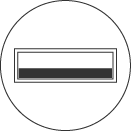
For all modern PC and Macs Cable Plug Information: USB is a rectangular metal sheath with the contacts contained inside. From the end it looks like this:
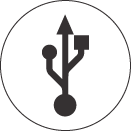
Port Information: USB ports are not colour coded and will be marked with a logo like this:
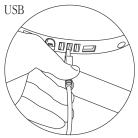
Connection Information: The plug is inserted into the port on your computer like this:
You can also use the port on your keyboard, but the more distance you put between your reader and the computer's port, the weaker the power supply. |
PS2 Connector
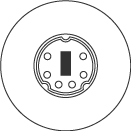
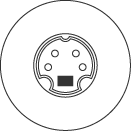
For older PCs Cable Plug Information: PS2 is a cylindrical metal sheath with six metal pins and a plastic plug contained inside. From the end it looks like this:
Port Information: PS2 uses the keyboard port, usually colour coded purple (lilac) or red, and will be marked with a logo like this:
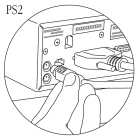
Take care NOT to use the mouse port, usually colour coded green. Connection Information: The plug is inserted into the port like this:
The cable we provide has an additional socket to plug your keyboard into. Using this cable both the reader and the keyboard can use the same keyboard port. |
ADB Connector
For older Macs. Cable Plug Information: ADB is a cylindrical metal sheath with four metal pins and a plastic plug contained inside. From the end it looks like this:
Port Information: ADB ports are not colour coded and will be marked with a logo like this:
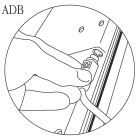
Connection Information: The plug is inserted into the port on your keyboard or computer like this:
|